What to Wear for a LinkedIn Headshot
Wear a solid, mid-to-dark colour that contrasts with your background, with nothing covering your face and no logos or large jewellery. LinkedIn shows the photo small and inside a circle, and viewers judge a face in about 100 milliseconds, so fine patterns only add noise. Match formality to your industry: a suit for law and finance, a blazer or knit for office roles, a polo for trades.
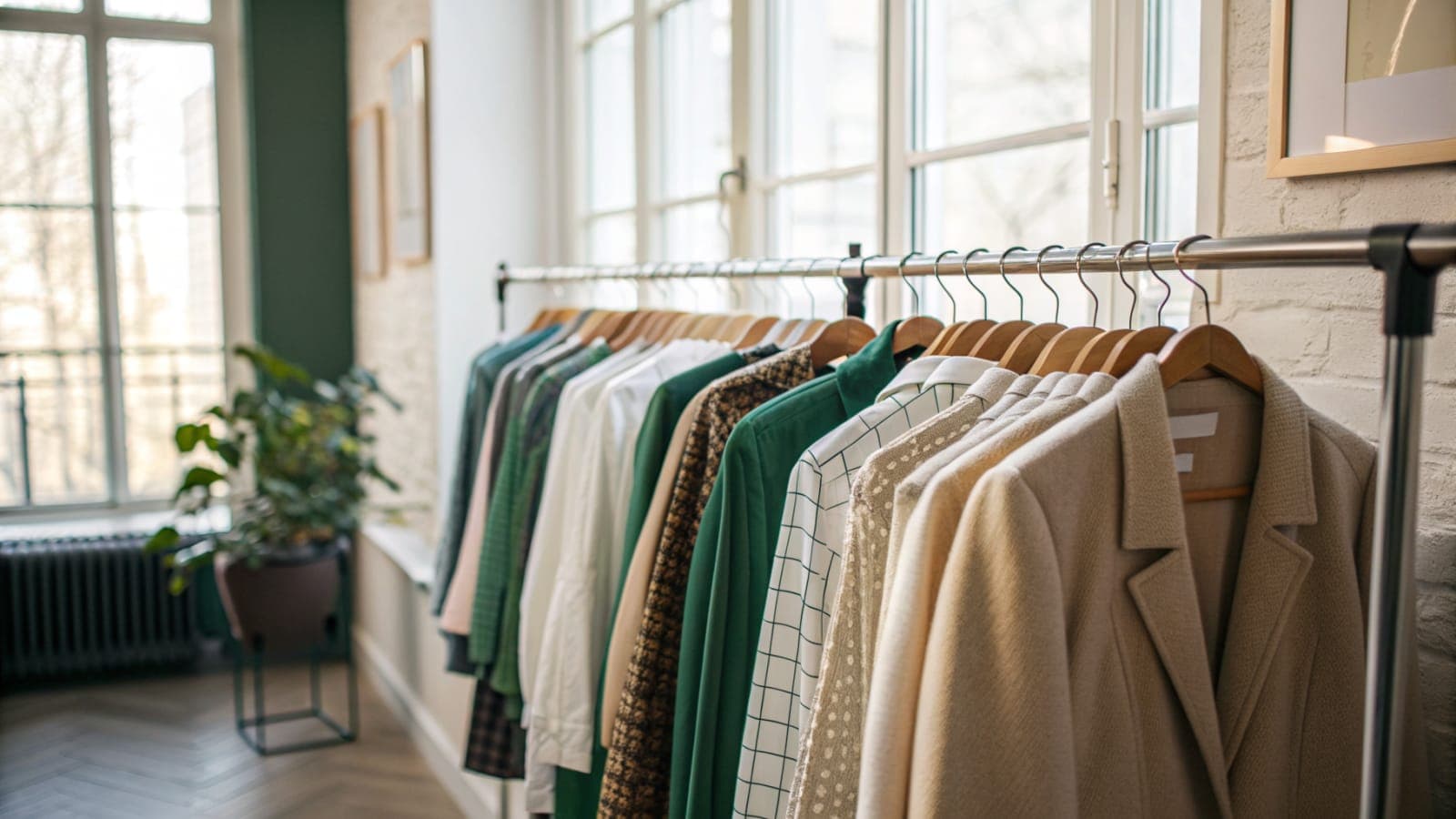
Wear a solid, mid-to-dark colour on top that contrasts with your background, keep the neckline simple, and leave off anything that covers your face or shouts for attention. For most people that means a plain shirt, knit or blazer in navy, charcoal, burgundy or forest green, without a logo, a busy pattern or big jewellery. The outfit should be one notch smarter than what you actually wear to work, and it should still obviously be you.
That is the whole answer. Everything below is about why those rules exist, how they change from industry to industry, and how to pick between the eight outfit options when you generate a set with Picturesk.
What should you wear for a LinkedIn headshot?
Wear a solid colour that stands apart from the background, in a cut that frames your face without covering any of it. Fine patterns, thin stripes and shiny fabrics turn into noise at thumbnail size, so pick block colours.
Match the formality to your field: a suit for law and finance, a blazer or smart knit for most office jobs, a polo or plain tee for trades and startups. Avoid logos, slogans, hats, sunglasses and statement jewellery, and choose something you would genuinely wear to a client meeting so the photo still reads as you.
At a glance
| Question | Short answer |
|---|---|
| How is the photo shown? | Small, inside a circle, so only the top of the outfit is visible |
| How fast is the judgement? | Impressions of a face form after about 100 milliseconds, per Princeton research |
| Best colours | Solid navy, charcoal, burgundy, forest green, or a clean white against a darker background |
| Worst choices | Fine patterns, logos, big jewellery, anything covering the face |
| Picturesk outfit options | 8 in total: 1 on Starter ($9), 3 on Pro ($29), all 8 on Premium ($49) |
| Turnaround | About an hour, by email, from 5 to 15 selfies |
Why does the outfit matter when the photo is so small?
Because the viewer decides about you before they have consciously looked. Research from Princeton found that people form impressions of a face, including trustworthiness and competence, after about 100 milliseconds of exposure, and that looking longer mostly makes them more confident rather than changing their mind. Your outfit is part of that first flash, whether you like it or not.
It also matters because LinkedIn shows the photo in a circle, and at feed size that circle is roughly the width of a fingertip. In that space you get your face, your hair, your shoulders and perhaps the top few inches of what you are wearing. Whatever appears in those few inches has to do its job instantly.
The final reason is that the photo is not a one-off. Different photos of the same person can produce very different impressions, and lighting, pose and clothing are what move the needle. Getting the outfit right is one of the few variables that is entirely under your control.
What reads well at thumbnail size?
Solid colours in the mid-to-dark range, contrast between you and the background, and a neckline that frames your face. That is the shortlist. Everything else is a detail on top of those three.
- Solid over patterned. Fine checks, pinstripes and small florals shimmer and blur when shrunk, and a bold print steals attention from your eyes. A block colour just sits there quietly, which is exactly what you want.
- Contrast with the background. A charcoal blazer on a dark studio backdrop merges into one grey mass. Put dark clothes against a light or mid-tone background, and light clothes against a darker one, so your outline stays crisp.
- Nothing covering the face. No hats, no sunglasses, no scarves pulled up, no hair or collar crossing the jaw. Your face is the entire product here.
- No logos, no slogans. A brand mark on your chest is a distraction at best and dates the photo the moment you change jobs.
- Small jewellery or none. Studs and a thin chain are fine. Large earrings, chunky necklaces and stacked bracelets pull the eye and reflect light in odd ways.
- Colour that suits you, not the trend. Navy, charcoal, burgundy and forest green flatter almost everyone. Neon and pale pastels tend to wash faces out.
One exception is worth naming. A crisp white shirt looks excellent against a darker studio or a blurred office, and a plain white collar under a dark blazer is one of the safest combinations in the book. It only fails when the background is also white.
Does it have to look like you?
Yes, and not only for taste reasons. LinkedIn's own profile photo guidelines require the image to reflect your likeness, and the platform can remove photos that are not you. A headshot in an outfit you would never wear is not against the rules, but it is against the spirit of them, and it creates an awkward moment when someone meets you.
The practical test is simple. If a colleague saw the photo, would they recognise the person and the style without a double take? A software engineer in a black tie photo will get a raised eyebrow, and a barrister in a polo shirt will get a different one.
This also applies when you generate the headshots rather than photographing them. Picturesk trains a model on your own face from 5 to 15 selfies, then places you in the outfits and backgrounds you chose. The face is yours, so the wardrobe should be plausible for you too.
What do different industries expect?
The unwritten rule is to dress one notch above your everyday work clothes, in the direction your industry already leans. Here is how that breaks down.
- Law, finance, banking, consulting. A tailored suit, ideally dark, with a plain shirt. A tie is optional in most firms now, but a suit jacket is not.
- Corporate and management roles. A blazer with a collared shirt, or a full suit if you present to boards. Muted colours, no accessories that argue for attention.
- Tech, product, design, startups. Smart casual. A blazer over a plain tee, a smart knit, or a well-fitted turtleneck. A suit can read as out of touch in this world.
- Real estate, sales, recruitment. Approachable and polished: a blazer over a collared shirt or a smart knit in a colour with some warmth. You are selling trust, so keep it clean and friendly.
- Healthcare, education, non-profit. A collared shirt, a soft knit or a modest blouse. Warm, calm colours suit these fields better than stark black.
- Trades, logistics, hospitality, fitness. A plain polo or a neat collared shirt. A suit would look like a costume, and a polo says competent and ready.
- Creative fields. More latitude, but still solid colours and a clean silhouette. A turtleneck or a dark knit reads as considered rather than casual.
When you are unsure, aim for the middle: a blazer or smart knit over a plain shirt or tee. It is hard to look wrong in that on any profile, and it is the outfit most recruiters see all day without noticing, which is the point.
Which Picturesk outfit should you pick for your industry?
Picturesk offers eight outfit options, and each one maps cleanly onto one of the groups above. The Starter plan includes one outfit, Pro includes three, and Premium unlocks all eight, so you can see yourself across the whole range and choose afterwards.
- Black tie. Events, speaking bios, board photos and senior finance. Too formal for a standard LinkedIn photo in most fields, but useful as the one dressed-up option in a larger set.
- Business suit. Law, banking, consulting, executive roles and anyone who meets clients in a suit. The safest choice for a formal industry.
- Three-piece suit. The most traditional look. Partners, senior advisers and people in fields where a waistcoat is still normal.
- Business casual with collared shirt. The all-rounder. Corporate roles, real estate, recruitment, healthcare administration and anyone who wants smart without the jacket.
- Blazer over tee. Tech, product, founders, marketing and agency work. It reads modern and relaxed while keeping a clear shoulder line.
- Polo shirt. Trades, logistics, hospitality, fitness, field sales and outdoor roles. Practical and clean, and it looks natural rather than staged.
- Smart knit or sweater. Education, non-profit, design, healthcare and anyone in a warmer, people-facing role. Soft, approachable and flattering at thumbnail size.
- Turtleneck. Creative and design roles, architecture, and founders who want a clean, minimal look. Pick a colour that contrasts with the background rather than matching it.
Two practical notes. Pick outfits that contrast with the backgrounds you choose, so a dark suit against Corporate studio or White studio rather than Dramatic studio. And pick at least one outfit you actually own, because that is the photo you will look most like in person.
If you want to see how the options look on you before committing to one, the LinkedIn headshots from Picturesk are delivered square at full resolution, so the circular crop never clips your head or your collar. The set arrives by email in about an hour, and if the results do not look like you, you can reply within 3 days for a full refund.
What should you avoid wearing?
A short list, because the mistakes are few and predictable. Each of these gets worse, not better, at thumbnail size.
- Fine patterns, thin stripes, small checks and glossy fabrics that shimmer when shrunk
- Logos, slogans, brand marks and company polo shirts unless the photo is only for internal use
- Hats, sunglasses, headphones and anything that hides the eyes or the outline of your face
- Large earrings, chunky necklaces, statement watches and stacked bracelets
- Tops in the same tone as your background, which makes you vanish into it
- Very low or very high necklines that either expose too much or crowd your chin
- Neon colours and pale pastels that bounce light back into your face and flatten it
- An outfit you have never worn and would not wear to meet a client
Should you wear the same thing in your selfies?
No, and this is the part people get wrong when they generate headshots. The selfies you upload are used to train a model on your face, not on your wardrobe, so what you wear in them does not need to match the final outfit. Wear whatever you like as long as your face is clear, well lit and not covered.
What does matter is variety and quality of the face itself. Ten to twelve recent photos in different lighting, at different angles, with your eyes visible in every one, gives the model the best chance of getting you right. Every photo is checked at upload, before you pay, so anything with sunglasses, a hat or a face that is too small in frame gets flagged and you can swap it out.
The AI headshot generator then places you in your chosen outfits and backgrounds. One payment, from $9, and the set is yours to use on LinkedIn, your CV or resume, your company page and anywhere else with no licence fee.
Sources
- Snap judgments decide a face's character, psychologist finds, Princeton University
- Modeling first impressions from highly variable facial images, PNAS
- Profile photo guidelines and conditions, LinkedIn Help
Want to see every outfit on you before you choose?
Upload 5 to 15 selfies, pick the outfits and backgrounds that suit your field, and Picturesk trains a model on your face and emails a full set in about an hour. Get your LinkedIn headshots from $9, paid once, with no subscription. If they do not look like you, reply within 3 days for a full refund.
Frequently Asked Questions
Written by

Ammar Afridi
Founder of Picturesk
Ammar Afridi founded Picturesk, an AI headshot generator that turns a customer's own selfies into professional headshots. He built the product end to end: the photo screening that runs before anyone pays, the pipeline that trains a model on each customer's face, and the automatic refund when a run fails.