Should You Smile in Your LinkedIn Headshot?
Yes, smile in your LinkedIn headshot. A natural, relaxed smile, closed or slightly open, makes a face read as more trustworthy, and trustworthiness is the first thing people judge, in about 100 milliseconds. Keep it neutral only if your field expects gravity, such as some legal, medical or security roles. Avoid the forced grin: a tight smile that never reaches the eyes reads as tense, not friendly.
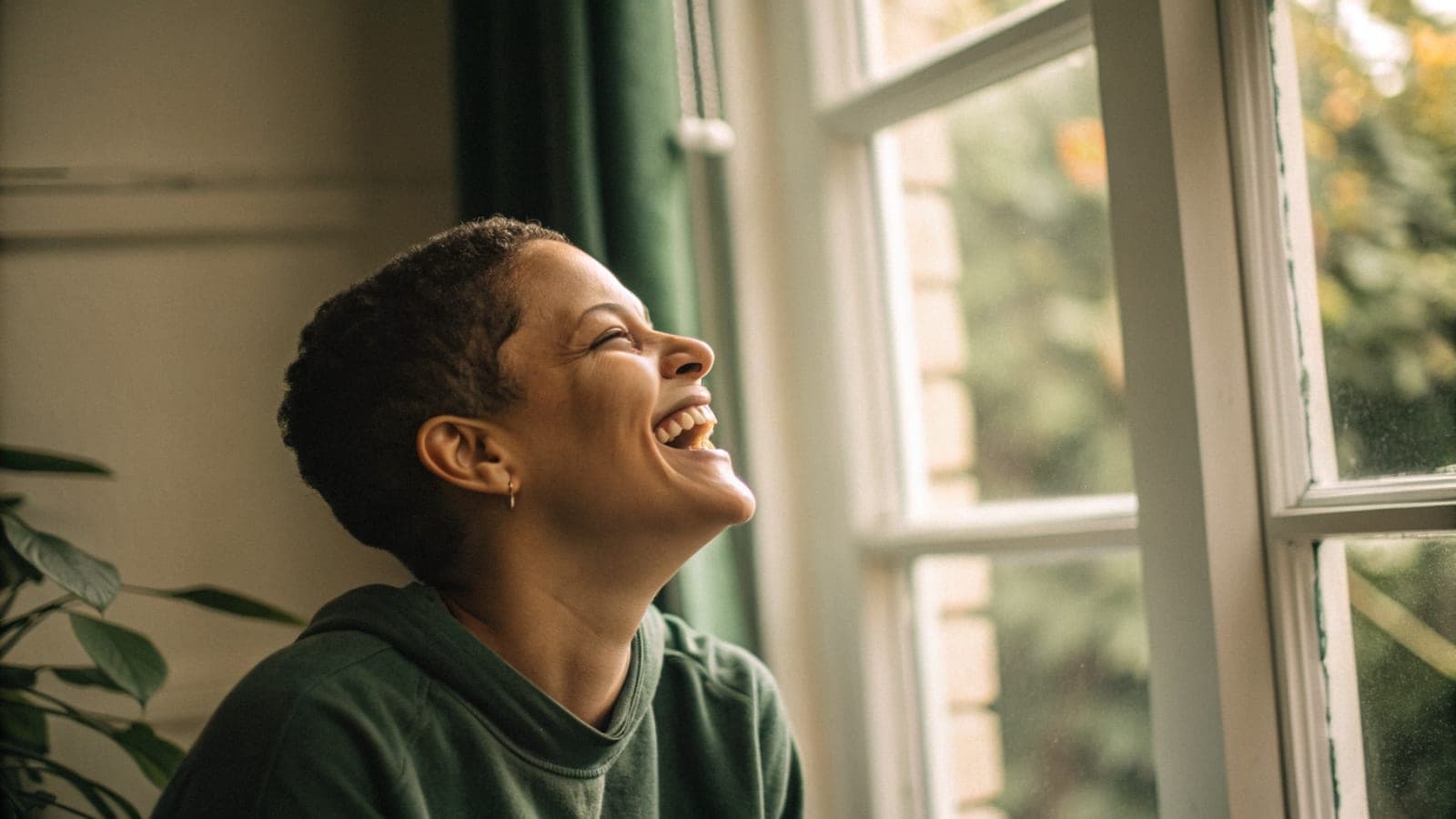
Yes, smile in your LinkedIn headshot. A natural, relaxed smile, closed or slightly open, is the safest expression for almost every profession, because the first thing a viewer decides about a face is whether they trust it, and a warm expression pushes that judgment in your favour. The exceptions are a handful of roles where gravity is part of the job, and even there a soft, closed-mouth smile usually beats a blank stare.
The rest of this guide covers the research behind that verdict, when a neutral face is the right call, why a forced grin fails, and a simple trick for producing a real smile on cue.
Should you smile in your LinkedIn headshot?
Yes. Todorov and colleagues showed in The functional basis of face evaluation that snap judgments of faces are organised around two axes, trustworthiness and dominance, and that features which resemble a positive expression push a face up the trustworthiness axis. A smile is the most direct way to add those features.
That judgment also happens before anyone reads your headline. Princeton research found people form impressions of trustworthiness, competence and likeability after about 100 milliseconds of exposure, and looking longer mostly makes them more confident rather than changing their mind. Your expression sets the tone for everything on the page below it.
At a glance
| Question | Answer |
|---|---|
| Should you smile? | Yes, a natural, relaxed smile for most roles |
| Closed or open mouth? | Either; a slight, easy opening reads warmest, a closed smile reads calm |
| How fast is the judgment? | About 100 milliseconds, per Princeton research |
| What does a smile move? | Trustworthiness, the primary axis of face evaluation (PNAS, 2008) |
| When to go neutral? | Some legal, medical, security and enforcement roles |
| Both options from one set? | Yes, Picturesk generates smiling and neutral shots from the same 5 to 15 selfies |
When is a neutral expression the right choice?
When your clients are paying for seriousness. A litigator, a surgeon, a security consultant or a compliance officer is often hired for composure under pressure, and a wide smile can read as lightweight in those contexts. A calm, level expression with soft eyes signals that you are steady and not easily rattled.
Even then, aim for warm neutral rather than stern. Slightly relaxed cheeks and eyes that look engaged keep you on the trustworthy side of the line without tipping into a grin. A hard, unsmiling face scores higher on dominance, which is not the quality most people are looking for in someone they might message cold.
If you are unsure which camp you fall into, look at the profiles of the ten people you most want to be compared with. If most of them are smiling, smile. If most are not, a closed-mouth smile is the safe middle ground.
Why does a forced smile fail?
Because viewers can tell. A genuine smile lifts the cheeks and narrows the eyes a little; a forced one moves the mouth and leaves the eyes flat. The result reads as tense or nervous, which pulls the face toward the anxious end of the trustworthiness axis rather than the warm end.
The forced grin usually comes from holding a smile too long. By the fourth or fifth frame of a photographer saying "big smile", the muscles have locked and the expression has drained out. Short bursts beat long holds: relax completely, then bring the smile back fresh for each shot.
The other common failure is over-doing it. A full, teeth-baring laugh is great in a wedding album and slightly manic at thumbnail size beside a comment. Stop at the point where the smile feels comfortable, not at the point where it feels maximal.
How do you get a real smile on cue?
Use the "someone you like walked in" trick. Just before the shutter, imagine a friend or colleague you genuinely enjoy walking through the door behind the camera. Your face will respond the way it does in real life: a small lift in the cheeks, a softening around the eyes, a smile that arrives rather than one you assemble.
A few other things help:
- Exhale slowly before each frame so the jaw and shoulders drop.
- Look slightly above the lens for a beat, then back at it, to reset the eyes.
- Take far more frames than you think you need and pick the one where the eyes are doing the work.
- Keep the chin level; tilting it up reads as challenge, tilting it too far down reads as sheepish.
If you are shooting selfies for an AI set, the same rules apply, and they matter more. The model learns your face from what you upload, so a batch of stiff selfies produces stiff headshots.
Can you get both a smiling and a neutral version without a second shoot?
Yes, and this is where an AI set has a real advantage over a single photographer session. With Picturesk you upload 5 to 15 recent selfies, 10 to 12 is the sweet spot, and we train a model on your face. The finished set is generated across the backgrounds and outfits you chose, and it includes a range of expressions from relaxed smiles to calm neutral looks, so you can pick the one that fits the role you are applying for that week.
Every plan delivers full-resolution, square 1:1 images by email in about an hour, so the circular LinkedIn crop never clips the top of your head. LinkedIn headshots from Picturesk start at $9 for 5 headshots, with 25 for $29 and 60 for $49, all one payment.
The catch is the input. Upload selfies with both expressions, a few with an easy smile and a few neutral, all in even light with nothing covering your eyes, and the AI headshot generator has what it needs to produce both. If the results do not look like you, reply to the delivery email within 3 days for a full refund.
Sources
- The functional basis of face evaluation, PNAS
- Snap judgments decide a face's character, psychologist finds, Princeton University
Want a smiling and a neutral headshot from the same selfies?
Upload 5 to 15 selfies, pick your backgrounds and outfits, and we train a model on your face and email a full set in about an hour, with a range of expressions to choose from. Get your LinkedIn headshots from $9, paid once, with no subscription. If they do not look like you, you get a full refund within 3 days.
Frequently Asked Questions
Written by
Ammar Afridi
Founder of Picturesk
Ammar Afridi founded Picturesk, an AI headshot generator that turns a customer's own selfies into professional headshots. He built the product end to end: the photo screening that runs before anyone pays, the pipeline that trains a model on each customer's face, and the automatic refund when a run fails.