Best Background for a LinkedIn Headshot: Studio, Office or Outdoors?
A plain studio backdrop or a softly blurred office is the best background for a LinkedIn headshot. LinkedIn shows your photo small and inside a circle, so anything busy behind you turns into noise and pulls attention from your face. Outdoor and greenery looks work only when they are heavily out of focus, and dramatic dark studio lighting reads corporate rather than approachable, so pick it knowingly.
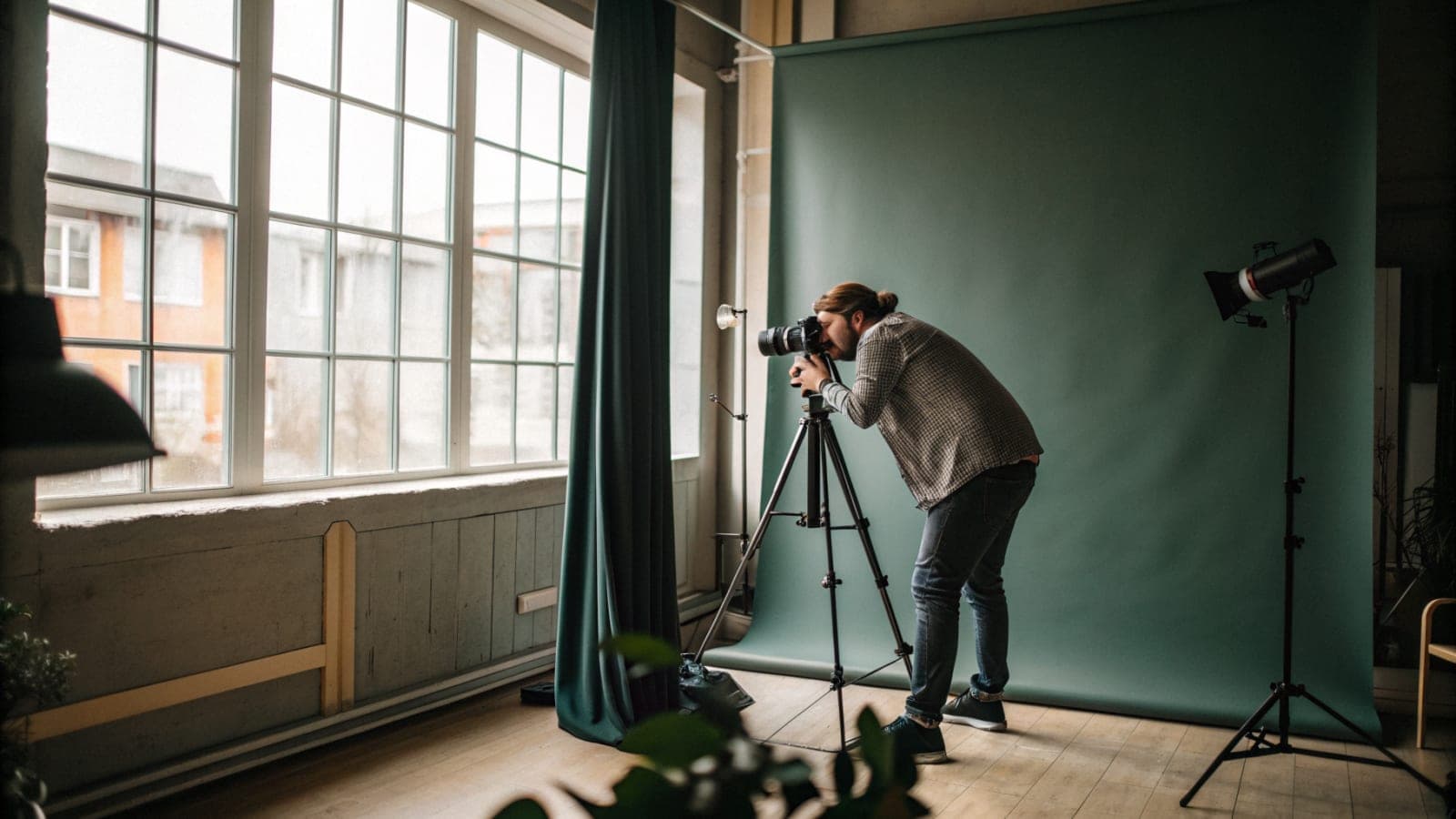
The best background for a LinkedIn headshot is the one nobody notices: a plain studio backdrop, or an office so softly blurred it reads as a colour rather than a place. The photo is shown small and inside a circle, and at that size a background either supports your face or competes with it. There is no third option.
That is the whole principle. The rest of this guide is about how each common background behaves once it is shrunk to the size of a thumbnail in a comment thread, which is where most people will actually see it.
What is the best background for a LinkedIn headshot?
A mid-tone studio backdrop, grey or warm neutral, or a blurred office interior. Both give your outline a clean edge, both stay calm at small sizes, and both read as professional without saying anything specific about where you work. They are the default for a reason.
The test is contrast, not colour. Your head and shoulders need to separate from what is behind them, so a dark top on a dark backdrop fails and a light top on a white backdrop fails in the other direction. If you are not sure, a mid-grey backdrop works with almost anything you wear.
At a glance
| Question | Answer |
|---|---|
| Safest background for LinkedIn | A plain mid-tone studio backdrop, then a softly blurred office |
| Why the background matters | Members with a photo get up to 21 times more profile views and 9 times more connection requests (LinkedIn Sales Solutions), so the photo is doing real work |
| How fast the judgment happens | About 100 milliseconds for a first read of trustworthiness and competence (Princeton University) |
| Backgrounds Picturesk offers | Eleven, from Corporate studio to Greenery; 2 on Starter, 4 on Pro, all 11 on Premium |
| Selfies you upload | 5 to 15, with 10 to 12 the sweet spot |
| Price and turnaround | From $9, one payment, delivered by email in about an hour |
Why do busy backgrounds fail on LinkedIn?
Because of the crop and the size. LinkedIn's profile photo tools crop your upload to a circle, and that circle appears at thumbnail size beside comments, messages and search results. A bookshelf, a city street or a conference banner that looked fine at full size becomes a jumble of lines around a small face.
There is a perception cost as well. Research on first impressions, summarised by the Association for Psychological Science, shows people judge a face within a fraction of a second and then hold that judgment. Anything that delays the eye finding your face delays the only judgment that matters.
And the judgment is not stable across photos. A study in PNAS modelled first impressions from highly variable images of the same people and found the impression shifts with the image itself: lighting, angle and what surrounds the face all move it. The background is part of the face's context, so it is part of the verdict.
There is a policy angle too. LinkedIn's profile photo guidelines say the photo must reflect your likeness, and a picture that is solely a landscape or a logo can be removed. A background so dominant that you are a speck in it is not just weak, it is the wrong kind of photo.
Which background suits which kind of work?
Corporate, finance, law and consulting: a plain studio backdrop in grey, white or a muted blue. It is the visual language those industries expect and it never dates. A blurred office is the alternative if plain feels too formal.
Tech, design, marketing and startups: a bright, natural look or a softly blurred office reads current without trying too hard. Warm neutral backdrops photograph well here. Dramatic low-key studio lighting is a taste some people like, but it reads as a magazine cover rather than a colleague, so use it knowingly.
Real estate, sales, coaching and anything client-facing: warmth wins. An in-office look with soft depth, or a bright and natural backdrop, reads approachable. Greenery and outdoor looks can work here, but only if the background is far enough out of focus that it reads as colour rather than scenery.
How should the lighting on your face match the background?
The light on your face and the light implied by the background must agree, or the photo looks pasted together even when nobody can say why. A bright, airy backdrop needs soft, even light on the face with open shadows. A dark, dramatic backdrop needs a more directional key light with real shadow on one side, or your face floats in front of it like a cut-out.
Direction matters as much as brightness. If the backdrop is lit from the left, the brighter side of your face should be the left as well, and the colour temperature should match: warm face light on a cool blue backdrop reads as two photos stitched together. This is the mistake behind most bad background swaps, and it is why replacing the backdrop on an existing photo so rarely works.
It also matters more than people expect, because a face is not a fixed thing in photos. A study in Cognition found that different photos of the same unfamiliar face vary so much that viewers often sort them as different people. Lighting is a large part of that variation, so get the light right and the background will look like it belongs.
Does a coloured background work on LinkedIn?
Yes, if it is one colour and it is not fighting your clothes. A soft blue or warm neutral backdrop can lift a photo and make it stand out in a feed of grey. The mistake is a saturated colour that becomes the subject of the photo, or a colour that clashes with what you are wearing.
A useful rule: the background should be less interesting than your face and less saturated than your top. If either is not true, go more neutral.
Should you use a real office or a studio look?
A real office photographed well is the warmest option, and the hardest to get right. Offices have mixed light, fluorescent overhead and daylight from the side, which puts colour casts on skin and shadows under the eyes. If the room cannot be lit for you, a studio look is the safer choice.
The blurred office look solves this by keeping the warmth and discarding the detail. You get the sense of a workplace behind you without a single object competing for attention, and the light on your face is consistent because it was not borrowed from the room.
Which of the eleven Picturesk backgrounds should you pick?
Picturesk generates every headshot with the background and the face light designed together, so the matching problem above is handled for you. That leaves the choice of look, and each of the eleven suits a different kind of work.
- Corporate studio: the safe default for finance, law, consulting and anyone unsure. Neutral, clean edge, never wrong.
- White studio: crisp and modern, best with a darker top so your outline holds. Common on company pages that want everyone to match.
- Blue studio: a little more presence than grey without becoming the subject. Works well for tech and corporate profiles.
- Warm neutral: flattering on most skin tones and pairs with almost any outfit. A good choice for coaches, consultants and creatives.
- Dramatic studio: low-key, directional light. Founders and speakers like it; it can read cold for client-facing roles.
- In-office: a softly blurred workplace with warmth and depth. Good for sales, HR, operations and anyone who wants to look like a colleague.
- Bright and natural: airy, daylight feel. Suits marketing, design, healthcare and wellness.
- Library: quiet authority. Popular with lawyers, academics, advisers and writers.
- Urban brick: a textured, informal look for startups, agencies and trades. Keep it as the second choice, not the profile photo, if your industry is conservative.
- Outdoor: approachable and relaxed, best for real estate agents and anyone who works outside an office.
- Greenery: soft foliage that reads as colour at thumbnail size. Good for sustainability, wellness and community roles.
How many you can pick depends on the plan: Starter gives you 2 backgrounds and 5 headshots for $9, Pro gives you 4 backgrounds and 25 headshots for $29, and Premium opens all 11 with 60 headshots for $49. Most people should take a studio option as the profile photo and one warmer look for a company page or a speaker bio.
How do you get a studio background without a studio?
You do not need one. An AI headshot generator trained on your own face can place you against a plain studio backdrop, a blurred office, a library, greenery or an urban brick wall, from the same five to fifteen selfies. Picturesk offers eleven backgrounds and lets you pick several in one set, so you can test two on your profile and keep the rest for other uses.
Picking is the easy part. The photo will only look like you if the selfies you upload are sharp, recent and evenly lit, so spend your effort there and let the background be whatever the job asks for. LinkedIn headshots from Picturesk start at $9 and arrive by email in about an hour, and if they do not look like you, reply within 3 days for a full refund.
A quick decision rule
If you are unsure, choose the plain studio backdrop. It is never wrong, it never dates, and it makes your face the only thing in the frame. Change it later for a warmer look if your work calls for one, but start from the version that cannot fail.
Sources
- Add, change, edit, or delete your LinkedIn profile photo, LinkedIn Help
- Profile photo guidelines and conditions, LinkedIn Help
- Picture Perfect: Make a Great First Impression with Your LinkedIn Profile Photo, LinkedIn Sales Solutions
- Snap judgments decide a face's character, psychologist finds, Princeton University
- Studying First Impressions: What to Consider, Association for Psychological Science
- Modeling first impressions from highly variable facial images, PNAS
- Variability in photos of the same face, Cognition (ScienceDirect)
Try several backgrounds from one set of selfies
Picturesk turns five to fifteen selfies into studio headshots across the backgrounds you choose, from a plain backdrop to a blurred office. Get your LinkedIn headshots from $9, one payment, no subscription, delivered in about an hour, with a full refund if they do not look like you.
Frequently Asked Questions
Written by

Ammar Afridi
Founder of Picturesk
Ammar Afridi founded Picturesk, an AI headshot generator that turns a customer's own selfies into professional headshots. He built the product end to end: the photo screening that runs before anyone pays, the pipeline that trains a model on each customer's face, and the automatic refund when a run fails.