Why AI Headshots Sometimes Look Nothing Like You
AI headshots look nothing like you when the model had too little to learn from or never tried: too few or too similar photos, filtered or badly lit uploads, or a face swap that pastes your features onto a stock body. Upload 10 to 12 honest selfies from different days and use a tool that fine-tunes a model on your own face, and the likeness returns.
When AI headshots look nothing like you, the cause is almost always the input or the method, and both are fixable. Too few photos, photos that all look the same, bad light, heavy filters, or a tool that pastes your face onto a stock body will each push the result toward a generic stranger. Fix the uploads and pick a tool that trains a model on your own face, and the likeness comes back.
This guide walks through the four causes in the order they usually happen, then shows you how to judge whether a set is genuinely you and what to do if it is not.
Why do AI headshots sometimes look nothing like you?
Because the model never learned your face properly, or because it never tried to. A generator needs a spread of clear, honest photos to work out which features are really yours and which are a trick of the light. Give it five near-identical selfies shot under a ring light and it fills the gaps with an average face.
Use a face swap or a filter and it was only ever going to produce a lookalike. Better input and a fine-tuned model solve most of it.
At a glance
| Question | Answer |
|---|---|
| Most common cause of a poor likeness | Too few photos, or photos that are all the same angle, light and expression |
| Photos Picturesk accepts | 5 to 15 recent selfies of one person, with 10 to 12 the sweet spot |
| What Picturesk screens before payment | One clear face, large enough in frame, nothing covering the eyes |
| Method that keeps the likeness | A model fine-tuned on your own photos, rather than a swap or a filter |
| Turnaround and delivery | About an hour, by email, full resolution, square 1:1, no watermark |
| If the set does not look like you | Reply to the delivery email within 3 days for a full refund; you keep the images |
Did you upload too few photos, or photos that all look the same?
This is the number one cause, and it is the easiest to fix. A single photo is a surprisingly poor record of what a face looks like. In a well-known Cognition study, Jenkins and colleagues found that different photos of the same unfamiliar face varied so much that people routinely sorted them into piles as if they were different people.
The lesson for AI headshots is direct. If the variation within one person's photos is that large, a model that only sees three or four of them cannot tell which features are stable and which are noise. It hedges, and hedging looks like a generic face with a passing resemblance to you.
The fix is a wider spread rather than more of the same. Aim for 10 to 12 photos taken on different days, from slightly different angles and distances, with a mix of expressions: neutral, a small smile, a full smile.
Change the room and the time of day too. Five copies of the same selfie teach the model less than five genuinely different ones.
Were your uploads lit badly or filtered?
The second cause is subtler. A model learns whatever face you show it, and a face under a hard ring light or through a beauty filter is not the face your colleagues see. Smoothed skin, a slimmed jaw, brightened eyes and warped proportions all get baked into the training set as if they were real.
The result is a set of headshots of someone who does not exist. They may look polished, and they may even look like a flattering version of you, but people who know you will notice that something is off. The same applies to heavy shadows, mixed colour temperatures and phone portrait mode that blurs part of the ear or hairline.
Fix this at the source. Turn off every filter and effect, including the default skin smoothing on some phone cameras. Stand facing a window in daylight, or under even indoor light, and keep your hair and eyes fully visible.
Picturesk screens every photo at upload and before payment, flagging any where the face is too small, unclear, or covered by sunglasses or a hat. You can replace those photos rather than pay for input that is known to fail.
Is the tool a face swap or a fine-tuned model?
The third cause is the method, and no amount of good input fixes it. Many cheap tools are face swaps or filters: they take a stock body in a stock suit against a stock backdrop and paste your features onto it.
The face is squeezed to fit a head shape that is not yours, the skin tone is blended with someone else's, and the hairline, ears and neck belong to the stock model. The output is a lookalike, not you.
Fine-tuning works the other way round. Picturesk trains a model on your own selfies, then generates the whole image, body, backdrop and lighting, around your face.
Your jaw, your nose, your hair and the way your eyes sit are the starting point rather than an afterthought. That is why the results can hold up next to a real photo instead of reading as an uncanny cousin.
A quick way to tell which kind of tool you are looking at is to check the hairline and ears in the samples. On a swap they tend to be identical across every image and slightly disconnected from the face. On a fine-tuned set they vary naturally with the angle, the way they would in real photos.
The Picturesk AI headshot generator is built on the fine-tuning approach.
Are you judging a whole set by one frame?
The fourth cause is expectation, and it applies to real photos too. Research published in PNAS by Vernon, Sutherland, Young and Hartley found that first impressions vary substantially across different photos of the same person, and that lighting, pose and expression each move the impression.
In other words, one frame can make you look tired or stern while the next makes you look warm, without anything about your face changing.
So when you open a set of 25 or 60 headshots, expect a spread. Some will be spot on, some will be near misses, and a few will be off in a way you cannot quite name.
That distribution is normal and matches how a photographer's contact sheet looks. What matters is whether the best five or ten are unmistakably you, not whether every single frame is.
It also matters because people decide fast. Willis and Todorov showed at Princeton that viewers form impressions of a face in about a tenth of a second, and that longer exposure mostly raises their confidence rather than changing the verdict.
Pick the frame that sends the right impression and let the rest go.
How can you tell a good AI headshot from a bad one?
Use two tests, and be honest with both. First, put the headshot next to a recent, unedited photo of you and look at the fixed features: the distance between your eyes, the shape of your nose, the line of your jaw, the way your hair parts.
A good result matches on all of them, and any difference comes down to lighting or expression.
Second, send it to three people who see you every week and ask one question: does this look like me? Not "is this nice", which invites politeness, but whether they would recognise you from it.
If two of three hesitate, the set is not there yet, however professional it looks.
- Skin tone should match your real photos, not a warmer or lighter version.
- Teeth, ears and hairline should be yours, not a generic smooth version.
- The face should sit naturally on the neck and shoulders, with no visible seam.
- Expressions should look like ones you actually make.
- Small marks that are part of you, like a mole or a scar, should still be there.
There is a practical reason to hold this standard. LinkedIn's profile photo guidelines say the photo must reflect your likeness, and it reserves the right to remove images that do not.
A headshot that is a lookalike rather than you is a risk on the one platform most people are buying it for.
What should you do if the results still do not look like you?
First, look at the inputs again. Most failed sets trace back to fewer than eight usable photos, several of them filtered, or all of them shot in the same session.
Re-shooting 10 to 12 honest selfies across a couple of days is the single change most likely to fix it.
Second, use the guarantee if you bought from Picturesk. If the set does not look like you, reply to the delivery email within 3 days and you get a full refund under the look-like-you guarantee, and you keep the images.
Separately, if a generation run fails outright, the system refunds you automatically without you having to ask.
Third, resist the temptation to fix a poor likeness by cropping tighter or picking the flattering outlier. If only one frame in the set looks like you, the model did not learn your face and the rest of the set will not hold up in a video call or a conference badge.
Start again with better input, or ask for the refund. Plans start at $9 for 5 headshots and are listed on the pricing page; general questions are answered in the FAQ.
Sources
- Variability in photos of the same face, Cognition (ScienceDirect)
- Modeling first impressions from highly variable facial images, PNAS
- Snap judgments decide a face's character, psychologist finds, Princeton University
- Profile photo guidelines and conditions, LinkedIn Help
Want headshots that actually look like you?
Upload 10 to 12 honest selfies and Picturesk trains a model on your own face, then emails a full set in about an hour. Start your AI headshots from $9 as a single payment with no subscription. If the set does not look like you, reply within 3 days for a full refund.
Frequently Asked Questions
Written by
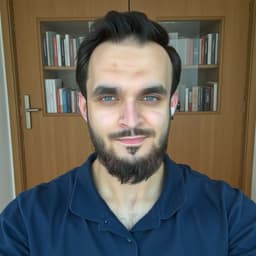
Ammar Afridi
Founder of Picturesk
Ammar Afridi founded Picturesk, an AI headshot generator that turns a customer's own selfies into professional headshots. He built the product end to end: the photo screening that runs before anyone pays, the pipeline that trains a model on each customer's face, and the automatic refund when a run fails.